How to Renew Your Full Class G Driver’s Licence Online in Ontario
Renewing a full Class G licence online can save a trip, but the online option is not for every Ontario driver or every licence situation. The key is to confirm that your licence fits the online service’s class restrictions, then follow the current instructions and watch for anything that requires an in-person visit.
Check whether your licence fits the online service
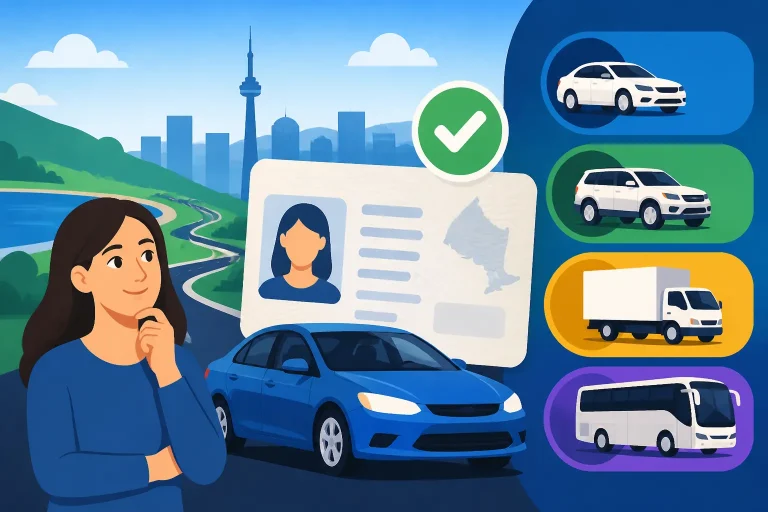
According to ServiceOntario, online renewal is restricted to drivers holding a full licence in class G, M, or GM, or a combination class where only the full portion is being renewed. That describes which licence classes the online service covers; it does not, by itself, confirm that every driver with one of those classes can complete a renewal online.
Start by checking the class or combination shown on your current licence. If you hold a full G licence, you are within the class group identified for online renewal. If your licence includes more than one class, pay attention to the combination: the stated online option applies when only the full portion is being renewed. If you are unsure how your combination is treated, check ServiceOntario’s current requirements before beginning.
The distinction between a full licence and a novice licence matters. Do not assume that having a G1 or G2 means you can use the full G renewal service. Those are not the full G class identified in the online-renewal restriction. If your card or licence record shows a different class or stage than you expected, confirm your status with ServiceOntario rather than selecting a renewal option based on what you think you hold.
| Your licence situation | How to think about the online option |
|---|---|
| Full G licence | The class is within the group identified for online renewal, but check the current service requirements before proceeding. |
| Full M licence | The class is within the group identified for online renewal, but confirm that the service applies to your specific record. |
| Full GM combination | The combination is within the group identified for online renewal, subject to current eligibility requirements. |
| Combination class with only its full portion being renewed | The online option may apply as described by ServiceOntario; verify how the service treats your particular combination. |
| G1 or G2 | Do not treat the full G online renewal route as a novice-licence renewal service. Check the requirements for your licence stage. |
| A record or situation that does not match these descriptions | Confirm the correct renewal route with ServiceOntario before submitting anything. |
If the class group fits, the next question is whether your specific renewal can be completed online. The official service may apply requirements beyond the class description. Review its current eligibility information and any prompts presented during the transaction. If the service says you must visit an office or complete another step, treat that instruction as the deciding information for your case.
For a broader overview of renewal requirements, see Ontario Driver’s Licence Renewals: Rules, Fees, and Steps. If you are specifically checking how the online service treats a G licence, Renewing Your G Licence on ServiceOntario: Rules and Requirements may help you identify what to verify.
Prepare before you begin
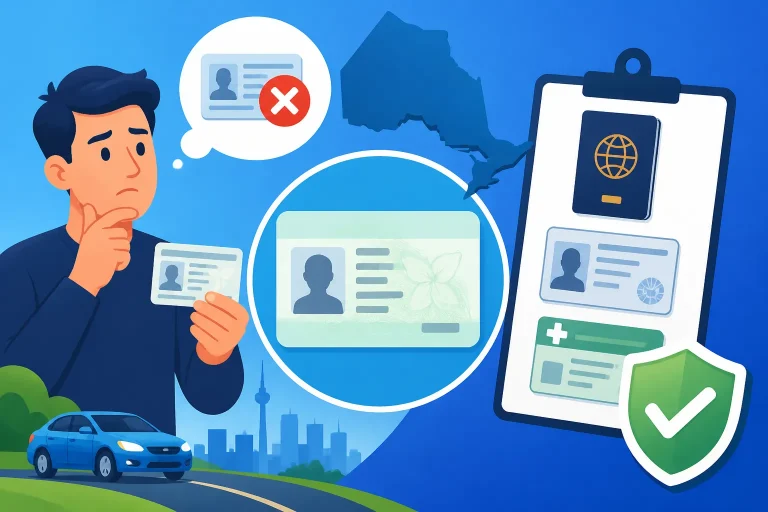
A little preparation can prevent avoidable pauses during an online transaction. Before opening the renewal service, locate your current licence and check the information on it carefully. You may need to refer to the details printed on the card or confirm that your identifying information is accurate. Follow the official service’s instructions about what information to enter; do not guess at a field or use an old card detail if your record has changed.
It is also useful to check your current contact and mailing information. A renewal involves a licence record and, where a replacement card is issued, a delivery destination. If you have moved or changed other personal details, do not assume that the online renewal will automatically correct every part of your record. Find out whether the change can be made as part of the online transaction or requires a separate update. Updating Your Ontario Licence Address Online or at ServiceOntario covers the address-update question in more detail.
Before you submit, make sure you can read each screen and review the information you enter. If the portal displays a confirmation or transaction summary, compare it with your licence and your intended renewal. Correct any error before proceeding, where the service permits it. If the details shown are wrong and you cannot correct them online, stop and seek direction from ServiceOntario rather than submitting a transaction you know is inaccurate.
Keep your expectations flexible about what the service will ask for. The exact fields, confirmations, and payment instructions should be taken from the official renewal service, because online screens and requirements can change. Avoid relying on an old checklist or on another driver’s experience as proof that your transaction will follow the same path.
You can use this short preparation checklist:
- Check the class shown on your current licence.
- Confirm that your licence situation matches the online class restriction.
- Read the current ServiceOntario eligibility information.
- Have your current licence available for reference.
- Check whether your address and other personal details are accurate.
- Use the official service’s instructions for any requested information.
- Pause if the record, class, or instructions do not match your situation.
Preparation is especially helpful if you have recently changed your name, address, or other personal information. A mismatch does not necessarily mean online renewal is impossible, but it can prevent the service from matching your information to the right record or completing the transaction. Treat an error message as a reason to check the underlying record, not as a reason to try different versions of your details until one happens to work.
If you are unsure which identification or supporting papers may be needed for an in-person visit, review Documents to Bring to ServiceOntario for In-Person Licence Renewal. That article is useful if the online route does not accept your case or if ServiceOntario directs you to complete the renewal in person.
Follow the official online process carefully
Use the current renewal service provided by ServiceOntario and follow its instructions in sequence. This article cannot replace the prompts shown for your licence record: the service is the place to confirm whether you can proceed and what it requires from you. Do not assume that an online renewal will involve the same screens or steps for every driver.
A careful online renewal generally means working through the service without skipping eligibility checks or ignoring warnings. Read each question before answering. If a screen asks you to confirm details, check them against your current information. If the service offers a choice between different transactions, select the one that actually matches your situation rather than choosing the first option that mentions a licence.
At the point where the service presents a final review, take time to check the transaction details. Confirm that the renewal concerns the licence you intended to renew and that the information displayed is correct. If anything is unclear, look for an explanation in the official service or contact ServiceOntario before you complete the transaction. It is safer to pause than to submit a renewal with a class, name, or address discrepancy.
If the service accepts your application and provides a confirmation, retain that confirmation. Save or record the transaction details in a way that you can refer to later. Keep any instructions about follow-up, delivery, or the status of your renewal together with your confirmation. The confirmation can help you explain what you submitted if you need to ask ServiceOntario about the transaction.
Do not treat a confirmation as proof of something it does not say. For example, a notice that a transaction was received is not necessarily the same as a statement that every requirement has been satisfied or that a new card has been delivered. Read the actual wording and follow any further directions from ServiceOntario.
If the online service cannot match your information, does not show the expected renewal option, or tells you to complete another step, do not repeatedly resubmit the same transaction. Take note of the message, review whether your details are correct, and use the official guidance for the next step. Some records may require a different channel even when the licence class is within the group identified for online renewal.
For a general explanation of which licence services can be completed online and which may require an office visit, see Online Licence Services in Ontario: What Requires an Office Visit. It can help you decide whether to keep troubleshooting the online service or prepare for another route.
Know when an online renewal may not be enough
An eligible class is only one part of the decision. The service may not be able to complete a transaction if the information on your record needs attention or if your situation calls for another check. The right approach is to follow the instruction shown for your own case rather than assume that every full G licence renewal can be handled online.
Watch for situations such as these:
- The service does not recognize your information.
- The class displayed in the service does not match your current licence.
- A combination class appears, but you are unsure which portion is being renewed.
- The online service tells you that you must complete a step in person.
- A requested confirmation or detail is unavailable to you.
- Your personal information has changed and the service cannot resolve the mismatch.
- You see an instruction about a test, review, or other requirement that you were not expecting.
These examples are reasons to stop and check, not a statement that every listed situation automatically makes online renewal unavailable. The correct route depends on your record and the current instructions from ServiceOntario. If the service does not explain what to do next, ask the agency to clarify before choosing an alternative transaction.
A vision-related prompt is a good example of why it is important not to guess. If the service or an official notice directs you to complete a vision-related step, follow the instructions for your case. Do not assume that an online renewal removes a requirement, or that every driver must complete the same screening. For more information about that issue, see When ServiceOntario Requires a Vision Test for Licence Renewal.
An in-person visit may be appropriate when the online service cannot complete the transaction or directs you to an office. Before going, confirm the current requirements and find an appropriate ServiceOntario office using the official office locator. Check its current hours and available services through the official agency. Bring the documents or information specified for your situation; do not rely on a general list if ServiceOntario has given you different instructions.
Some renewal questions are also different from replacing a lost licence, changing an address, or correcting personal information. Choose the service that matches the task you actually need. A renewal option may not be the right way to replace a missing card or update a detail, and a replacement transaction may not renew an expiring licence. If you are unsure, clarify the transaction before starting.
Troubleshoot a problem without making it worse
Online renewal errors can be frustrating, particularly when you believe your licence should qualify. First, read the whole message. It may identify a simple information mismatch, explain that the service cannot proceed, or direct you to another channel. Record the wording so you can refer to it accurately if you need help.
Check the information you entered against your current licence and your official record. Look for common data-entry issues such as a mistyped character, an outdated address, or a name that does not match the record. Correct information only when you know what the accurate detail is. Do not test multiple spellings or substitute a different address just to get past a screen.
If an address is involved, confirm whether your licence record needs to be updated separately. A renewal service and an address-change service are not necessarily interchangeable. If the system rejects your postal information or says the address cannot be verified, Ontario Licence Online Renewal Error: Fixing Address and Postal Codes may help you understand what to investigate before trying again.
If the service does not display a renewal option, revisit the eligibility information and make sure you are using the service for the right licence situation. A full G, M, or GM class is within the class group specified by ServiceOntario, but that does not mean every record will be accepted for an online transaction. If your licence is a combination class, check whether the online renewal applies to the portion you intend to renew.
When the problem remains unresolved, stop repeated attempts and contact ServiceOntario through its official support options. Explain what licence class you hold, what transaction you were trying to complete, and the exact message shown. Do not share sensitive information through a channel unless it is an official ServiceOntario channel and the information is requested for the transaction.
If you need to finish the renewal in person, prepare for that visit using the agency’s current directions. Preparing for Counter Desks: Document Checklists Before You Visit offers practical help with preparing for an office transaction, while Documents to Bring to ServiceOntario for In-Person Licence Renewal focuses on licence renewal documents. Check the official requirements first, since the papers needed can depend on why the online process stopped.
After submitting the renewal
Once you have submitted a renewal, keep the confirmation and follow any instructions ServiceOntario provides. If the service gives you a reference or transaction detail, save it with your renewal records. Check the information in the confirmation and note whether the service says that you need to take another action.
Do not assume that the physical card will arrive by a particular date. Delivery timing and the status of a particular transaction should be confirmed through ServiceOntario. If the card does not arrive when you expected, use the agency’s official guidance to check what to do next. How Long Does an Ontario Driver’s Licence Take to Arrive by Mail? and What to Do If Your New Ontario Driver’s Licence Is Delayed in Mail cover delivery questions.
A submitted renewal and permission to drive are separate questions. Do not infer from an online receipt alone whether you may drive, whether the receipt has a particular validity, or what documentation is accepted during a roadside stop. Follow the conditions and instructions that ServiceOntario gives you. If you need to understand the situation while waiting for a card, see Driving While Waiting for Your Renewed Ontario Licence Card and How to Legally Drive in Ontario With a Temporary Licence Paper.
If you are waiting for a response or card, keep an eye on the contact and mailing information associated with your renewal. If you discover that a detail was entered incorrectly, contact ServiceOntario promptly for guidance rather than submitting another renewal to try to correct it. A duplicate transaction may make it harder to understand which submission is being handled.
Once the renewal is complete, check the new card when it arrives. Make sure the printed information is accurate and that the class shown matches what you expect. If something is wrong, follow the official correction instructions. Keep the old card only as directed by the agency; do not assume that it remains usable after renewal or that the new card changes any conditions on your licence.
A practical decision checklist
Use the following checklist to decide what to do next without treating online access as guaranteed.
- Identify the licence class. Check whether you hold a full G, M, or GM licence, or a combination class where only the full portion is being renewed.
- Check the current rules. According to ServiceOntario, those are the licence situations covered by the stated online-renewal restriction. Confirm the current requirements for your own record.
- Separate eligibility from completion. Being within the identified class group does not establish that every other requirement is met.
- Review your information. Make sure the details you enter match your licence and record.
- Follow the service’s prompts. Answer accurately and read any warning or instruction before proceeding.
- Keep a confirmation. Save the transaction information and any follow-up directions.
- Stop if the service redirects you. If it requires an office visit or another action, follow that direction instead of repeatedly trying the same online route.
- Confirm uncertain details with ServiceOntario. Use the official agency’s current information to resolve questions about your specific licence.
- Check before relying on a receipt or temporary document. Confirm what it allows and for how long from ServiceOntario rather than making assumptions.
- Use the right service for the task. Renewal, replacement, and personal-information changes may require different transactions.
If your situation is straightforward and the official service accepts your record, the online option may be convenient. If the class, record, or instructions are unclear, pausing to confirm the correct route is usually more useful than guessing. The most important distinction is that the full-licence class restriction identifies who the online service is designed to cover; the current ServiceOntario instructions determine whether your particular renewal can proceed online.
Frequently Asked Questions
Can I renew a full Class G licence online in Ontario?
According to ServiceOntario, full G is among the licence classes covered by the online-renewal restriction. You still need to confirm that your specific record and situation meet the current service requirements.
Can a G1 or G2 driver use the full G online renewal service?
The online-renewal restriction described by ServiceOntario is for full G, M, or GM licences and certain combination classes. A G1 or G2 is not the full G class described there, so check the renewal requirements for your licence stage.
What if I have a combination licence?
According to ServiceOntario, the online option covers combination classes where only the full portion is being renewed. If you are unsure which portion your transaction concerns, confirm the correct route with ServiceOntario before submitting it.
What should I do if the online service rejects my information?
Read the message, check your details against your licence and record, and follow the official instructions. If the reason is not clear or the service directs you elsewhere, contact ServiceOntario rather than repeatedly submitting the same transaction.
Sources
- ServiceOntario — Renew a driver’s licence | ontario.ca (checked November 11, 2026)
Disclaimer
This article is for general informational purposes only and does not constitute professional advice. Laws, prices and regulations vary by location and change over time. Consult a qualified professional for guidance on your specific situation. Ontario Driver Guide is not a government agency and is not affiliated with any provincial motor vehicle department.